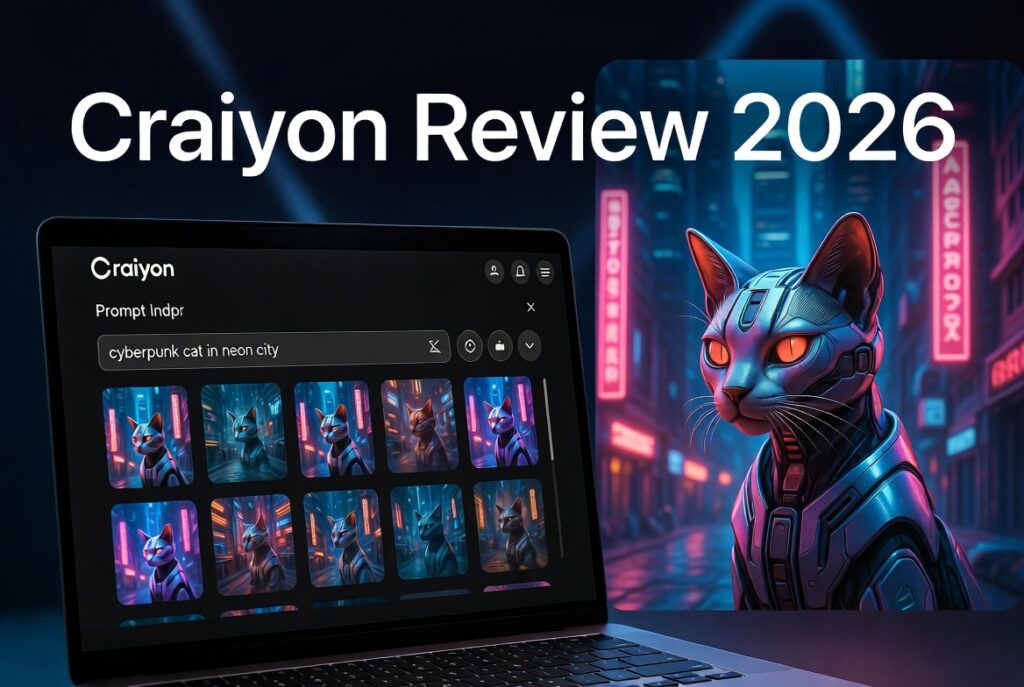
In a world overflowing with powerful AI image tools, Craiyon stands out as one of the few that truly delivers unlimited free generations with no signup required. But does this pioneer (formerly DALL·E Mini) still hold up against modern heavyweights like Midjourney, Flux, and DALL·E successors in 2026?
We put Craiyon through real-world tests — generating everything from product mockups and fantasy art to photorealistic portraits and meme ideas — to deliver this honest, hands-on review.
What Is Craiyon?
Craiyon is a web-based text-to-image AI generator that turns your written descriptions into unique visuals in seconds. It generates nine images per prompt by default, making it excellent for rapid ideation and variation exploration.
Key Highlights:
- Completely free tier with unlimited generations (ad-supported)
- No account needed to start creating
- Supports styles like art, photo, drawing, or none
- Features negative prompts, retouch, upscale, and animate (paid tiers)
- Commercial usage allowed on all plans (with attribution on free)
Craiyon Features in 2026
Craiyon has evolved since its early days but maintains its beginner-friendly charm:
- Batch Generation: 9 images at once
- Negative Prompts: Exclude unwanted elements
- Style Selection: Art, Photo, Drawing modes
- Editing Tools: Retouch, Upscale, Animate (stronger in paid)
- Aspect Ratios: More options in paid plans
- Community Search: Browse public generations
Pro Tip for High CTR Content Creators: Use specific, descriptive prompts. Instead of “a cat,” try “a fluffy Maine Coon cat wearing sunglasses, sitting on a cyberpunk rooftop at night, cinematic lighting, highly detailed.”
Pros and Cons of Craiyon
Pros:
- Truly unlimited free use — perfect for brainstorming and experimentation
- Extremely easy interface (great for beginners and non-tech users)
- Fast generation for basic prompts
- No barrier to entry — start creating instantly
- Good for fun, memes, social media visuals, and quick concepts
Cons:
- Image quality is often inconsistent and “AI-looking” (plasticky textures, artifacts in complex scenes)
- Weaker photorealism and fine details compared to 2026 leaders
- Slower during peak times on free tier
- Watermarks and lower resolution on free plan
- Limited advanced control and consistency features
Craiyon vs Midjourney: Detailed Comparison
Here’s a side-by-side look at two popular tools — the accessible free option (Craiyon) versus a premium creative powerhouse (Midjourney):
| Feature | Craiyon (Free/Paid) | Midjourney (2026) | Winner |
|---|---|---|---|
| Pricing | Free unlimited; Paid $6–$24+/mo | Starts ~$10/mo, no strong free tier | Craiyon |
| Image Quality | Good for casual; inconsistent | Excellent artistic & photorealism | Midjourney |
| Generation Speed | Fast on paid; slower free | Fast with good hardware | Midjourney |
| Ease of Use | Extremely beginner-friendly | Discord-based, learning curve | Craiyon |
| Batch Output | 9 images standard | Usually 4, with strong variations | Craiyon |
| Text in Images | Average | Improved but still variable | Tie |
| Commercial Rights | Yes (attribution on free) | Yes on paid plans | Tie |
| Best For | Ideation, fun, quick visuals | Professional art, campaigns, detail | Depends |
| Consistency | Basic | Excellent (character/reference) | Midjourney |
Verdict on Comparison: Choose Craiyon when you want zero cost and speed of ideas. Choose Midjourney when quality and polish matter for client work or high-engagement content.
Who Should Use Craiyon?
Yes — Use Craiyon if you are:
- A beginner exploring AI art
- A content creator needing quick visuals for blogs/social
- A student or hobbyist on a budget
- Someone brainstorming concepts before refining elsewhere
Skip or Upgrade if you need:
- High-end photorealistic images
- Brand-consistent characters
- Professional commercial assets without post-editing
Final Verdict: Is Craiyon Still Worth Using?
Yes — for the right reasons.
In 2026, Craiyon remains one of the best entry points into AI image generation. Its unlimited free access is genuinely rare and valuable for casual users and idea generation. However, for serious or professional work, you’ll likely outgrow it and move to higher-quality tools.
Our Rating: 4.1/5 Excellent accessibility and fun factor. Solid 7/10 on quality for the price (free).
Recommendation: Start with the free version for brainstorming. Use paid tiers for better quality or upgrade to a premium tool when your needs grow.
Frequently Asked Questions (FAQ)
Is Craiyon completely free? Yes. The core text-to-image generation is unlimited and free for everyone, though paid plans remove ads, watermarks, and add speed/quality.
Can I use Craiyon images commercially? Yes, on all plans. Free users should provide attribution.
How does Craiyon compare to Grok Imagine or Flux? Craiyon is more accessible but generally lags in photorealism and detail compared to modern models like Flux or advanced Grok Imagine capabilities.
Does Craiyon require a login? No. You can start generating immediately without an account.
What are the best prompts for Craiyon? Be highly descriptive. Include subject, style, lighting, mood, and composition details. Negative prompts help clean up results.
Is Craiyon good for photorealistic images? It can produce decent results, but it struggles with complex anatomy, hands, and hyper-realism compared to top 2026 tools.
Ready to try it yourself? Head over to Craiyon.com and start creating.
This review is based on hands-on testing in May 2026. AI tools evolve quickly — results may vary with new model updates.